

Greetings!
The following instructions will help you start using the Starlink terminal by adding it to an account where other terminals already exist.
Please follow all the steps listed above. If you have any questions, please contact us. We are always in touch.
Where to start

Typically, the entire addition process takes no more than 3 minutes.
Carefully check that you have everything you need before starting setup:
- Backup network connection (mobile internet, Wi-Fi)
- Email and password to an existing account
- Sufficient internet limit to debit the payment
⚠️ Gentle Ukrainization from SpaceX:
Change the interface language to Ukrainian in your mobile phone settings and the Starlink application will also be in Ukrainian.
Step-by-step instructions
- Plug your Starlink into a power outlet. Turn it on.
- Join the network Wi-Fi, the name of which may be:
- Adaptis SK
- STARLINK
- STINKY
- Log in to the App and wait for the terminal to connect to the satellites. Sometimes, the first turn-on takes 15 minutes (a little patience – it knocks in space and waits for a response).
- You will see a message stating that you do not have an account:
NO ACTIVE ACCOUNT

- Click on this message.
- In the window that appears, copy the data specified in the following format: “00000000-123ADPTS-B1C2D000”.
- Save the copied data.
- Disconnect from the Wi-Fi network.
- Follow the link https://www.starlink.com/activate
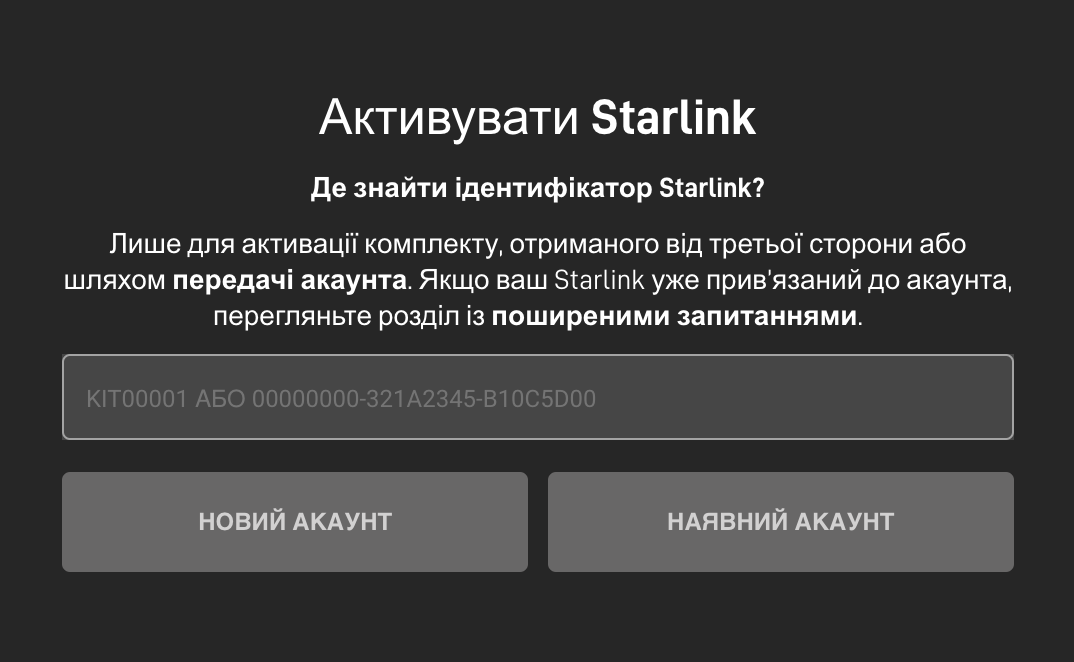
- In the field you see, paste the copied data.
- Click "EXISTING ACCOUNT".
- Log in to your existing account.

- In the next step, select “Service”, specify the city of your permanent residence, select the correct option from the drop-down list. Click the “Search” button

For example, Lviv.
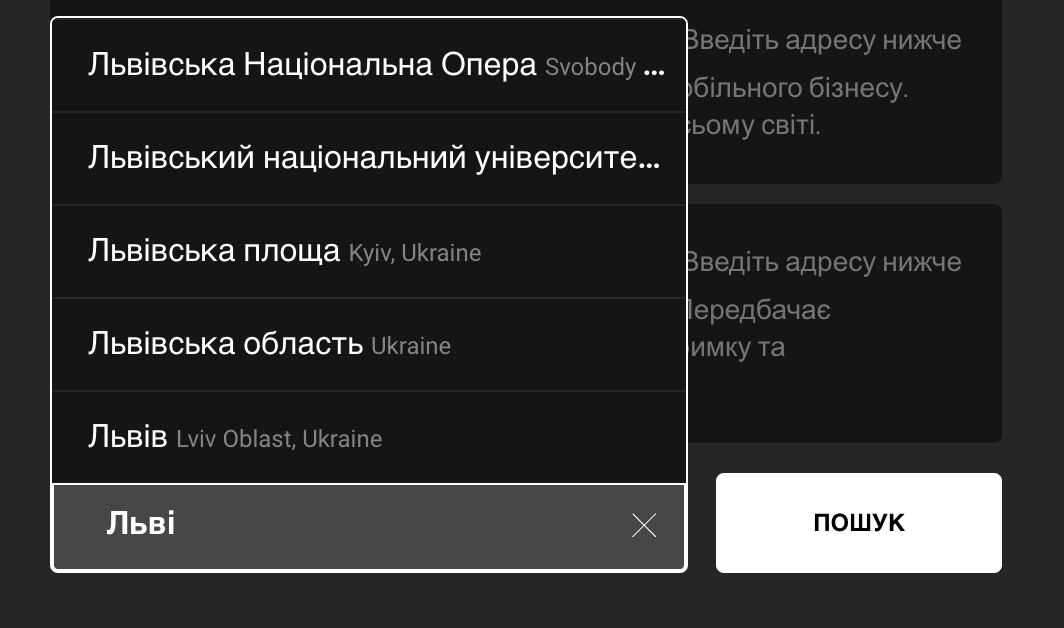
As a result of the search, you will see available Tariff plans for the selected region – Select “Roaming”.
“Traveling” tariff.
If you plan to use the equipment in a car, or change its location, then the “Home” / “Residential” tariff will not suit you. Therefore, choose the “Traveling” tariff / “Mobile Regional”.
- Click the “Continue checkout” button
- Pay the amount indicated on the screen.
The amount of the charge is less than the tariff. Why is this happening?
Typically, when adding the first terminal Starlink will charge your account 95 USD (US Dollars), but the second and subsequent terminals will charge a smaller amount.
This is done through system settings to synchronize your monthly internet costs.
That is, if your first Starlink was activated on the 10th, and the second If you connect Starlink on the 25th, the system will perform the write-off not from the 25th to the 24th, but from the 25th to the 9th of the following month.
And next month, on the 10th, he will make a charge for both sets in one payment.
- Turn on your Starlink terminal and wait about 15 minutes.
- If you have done all the steps correctly, the terminal will enter the mode ONLINE !
Congratulations! Enjoy your use.


